
The Ultimate Nano Banana 2 Prompt Engineering Guide: 25+ Ready-to-Use Prompts for Stunning AI Images (2026)
By the FotoGenie.ai Team · March 2026 · 12 min read
Google just dropped its most comprehensive prompting guide for Nano Banana 2 and Nano Banana Pro — their latest AI image generation models built on the Gemini 3 family. We read the entire thing so you don't have to, and we're combining their insights with our own battle-tested prompts from building FotoGenie.ai.
Whether you're a brand owner creating product shots, a marketer building campaign visuals, or a creator exploring AI art, this guide will help you get results on the first try instead of the fifteenth.
What Is Nano Banana 2 (And Why Should You Care)?
Nano Banana 2 is Google's latest image generation model, powered by Gemini 3.1 Flash. Unlike older text-to-image models that just pattern-match keywords, Nano Banana 2 actually reasons about your prompt before generating. It understands spatial relationships, lighting physics, and even pulls real-time data from web search.
Here's what makes it stand out:
- Real-time web knowledge — ask it to generate a scene based on today's weather in Tokyo, and it'll actually look it up
- Sharp text rendering — legible typography in over 10 languages, perfect for mockups and posters
- Up to 4K resolution — with native support for aspect ratios from 1:1 to 21:9
- 14 reference images — mix multiple source images in a single prompt for consistency
- C2PA Content Credentials + SynthID watermark built into every output
Google's guide (published March 5, 2026 on the Google Cloud Blog) breaks down five core prompting frameworks. Let's walk through each one with practical, copy-paste-ready prompts.
Framework 1: Text-to-Image Generation
This is your bread and butter. The formula Google recommends:
[Subject] + [Action] + [Location/Context] + [Composition] + [Style]
The key insight: stop writing keyword lists and start directing a scene. Think like a cinematographer, not a search engine.
Ready-to-Use Prompts
Prompt 1 — E-commerce Product Shot:
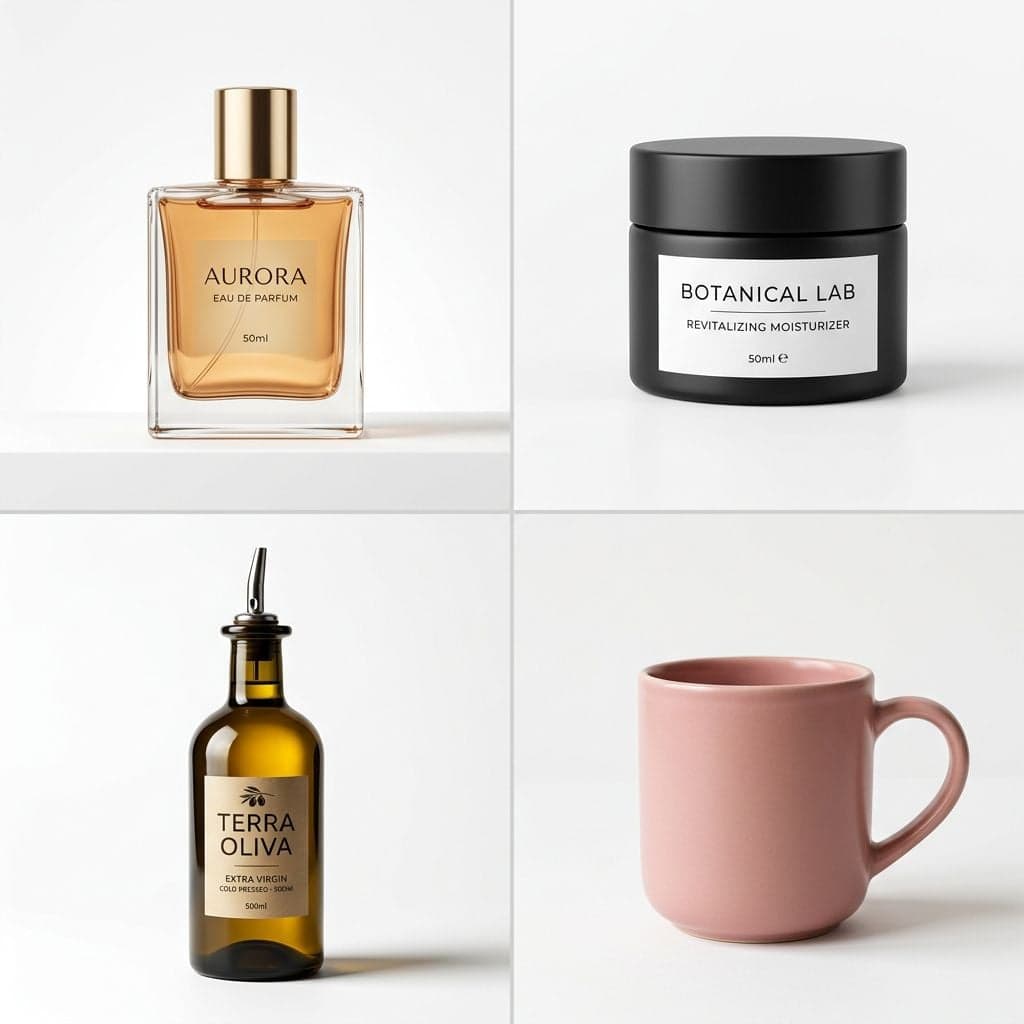
A minimalist glass perfume bottle with amber liquid, sitting on a smooth white marble surface. Soft, diffused studio lighting from the left creates gentle reflections on the glass. Close-up product shot, slightly off-center. Clean commercial photography style, shot on a Phase One IQ4 medium-format camera, crisp focus, shallow depth of field at f/2.8.
Prompt 2 — Brand Lifestyle Image:
A young woman in a linen apron laughing while arranging fresh wildflowers in a sunlit kitchen. Warm golden hour light streaming through a large window behind her. Medium shot, rule of thirds composition. Lifestyle editorial photography style, shot on Fujifilm X-T5, natural color science, slightly warm tones.
Prompt 3 — Social Media Hero Image:
An overhead flat-lay of a creative workspace: an open notebook with hand-drawn sketches, a cup of matcha latte, dried eucalyptus sprigs, and a rose-gold pen on a textured linen surface. Soft natural lighting from above. Top-down composition, evenly spaced elements. Pinterest-style lifestyle photography, muted earth tones, soft shadows.
💡 Pro Tip from FotoGenie: Always specify the camera or film stock. Saying "shot on a Fujifilm camera" versus "shot on a disposable camera" will dramatically change the color science and mood of your output — even if every other word in the prompt is identical.
Framework 2: Image Editing with AI
Once you've generated a base image, Nano Banana 2 lets you refine it conversationally. Two key techniques:
Semantic Masking (Inpainting)
You describe what to change in plain English. No brush tools, no selection layers.
Prompt 4 — Background Swap:
Change the background behind the person to a tropical beach at sunset. Keep the person, their clothing, expression, and pose exactly the same.
Prompt 5 — Object Removal:
Remove the coffee cup from the table. Fill the space naturally with the same wood texture as the rest of the table surface.
Prompt 6 — Seasonal Change:
Transform this outdoor café scene from summer to winter. Add a light dusting of snow on the tables and awning. Keep all architecture, furniture, and layout identical. Make the lighting cooler and more overcast.
Style Transfer
Upload a photo and ask the model to recreate its content in a completely different style.
Prompt 7:
Recreate this photograph of a modern city street as if it were a watercolor painting by Winslow Homer — loose, flowing brushstrokes, muted blues and warm grays, visible paper texture.
Prompt 8:
Transform this portrait photo into a retro 1970s screen-print poster. Bold, flat colors (orange, teal, cream), high contrast, halftone dot texture, thick outlines.
Framework 3: Real-Time Web Search + Image Generation
This is where Nano Banana 2 gets genuinely mind-bending. The model can search the web for live data and use it to inform the image.
Formula: [Search/Source Request] + [Analytical Task] + [Visual Translation]
Prompt 9 — Dynamic Infographic:
Search for the current top 5 most-visited countries in Europe for tourism in 2026. Create a colorful illustrated infographic showing each country as an iconic landmark (Eiffel Tower, Colosseum, etc.) with the visitor numbers displayed in a clean, modern sans-serif font.
Prompt 10 — Live Weather Visualization:
Search for the current weather in Limassol, Cyprus. Generate a cozy window scene where the view through the glass reflects the actual weather conditions. If sunny, show bright Mediterranean light and blue sky. If rainy, show raindrops on the windowpane with a grey sky. Include a steaming coffee cup on the windowsill.
Prompt 11 — Trend-Based Design:
Search for the Pantone Color of the Year 2026. Create a fashion flat-lay featuring that exact color as the dominant tone: a folded cashmere sweater, matching nail polish bottle, a leather notebook, and dried flowers, all arranged on a neutral background.
Framework 4: Text Rendering & Localization
One of the biggest pain points in AI image generation has been text. Nano Banana 2 handles it remarkably well — if you follow these rules:
- Always put text in quotes — "SALE" not just SALE
- Specify the font style — don't leave it to chance
- Use the text-first hack — ask the model to brainstorm copy first, then generate the image
Ready-to-Use Prompts
Prompt 12 — Instagram Story Ad:
A vibrant gradient background transitioning from coral pink to warm peach. In the center, render the text "SUMMER SALE" in a heavy, bold Impact font in white. Below it, render "Up to 50% Off" in a thin, elegant Playfair Display italic font in white. At the bottom, render "Shop Now →" in a clean Century Gothic font. The text should be perfectly centered and legible. Aspect ratio 9:16.
Prompt 13 — Product Label Mockup:
A close-up of a matte black cosmetic jar with a clean white label. On the label, render "GLOW" in an elegant serif font at the top, "Vitamin C Moisturizer" in a thin sans-serif font below it, and "50ml" in small text at the bottom. The jar sits on a marble surface with soft studio lighting. Product photography style.
Prompt 14 — Multilingual Poster:
A typographic poster with a deep navy blue background. In the center, the word "HELLO" rendered in a bold geometric sans-serif font. Below it, show the same greeting in 5 languages: "BONJOUR", "HOLA", "こんにちは", "مرحبا", "ΓΕΙΑ ΣΟΥ" — each in a slightly different complementary color (gold, coral, sage green, lavender, sky blue). Clean, modern design.
Framework 5: Prompt Like a Creative Director
This is where the magic happens. Stop thinking about what to generate and start thinking about how it should feel.
Lighting Design
Prompt 15 — Dramatic Product Shot:
A single bottle of artisan olive oil on a dark stone surface. Chiaroscuro lighting — a single harsh spotlight from the upper right creates dramatic shadows and a bright highlight on the glass bottle. The background fades to pure black. The olive oil glows golden where the light passes through. Shot on a Hasselblad, macro lens, f/4.
Prompt 16 — Soft Editorial Portrait:
A woman reading a book in a window seat. Soft Rembrandt lighting — natural light from the window illuminates one side of her face, creating a gentle triangle of light on the shadowed cheek. Warm afternoon tones. Shallow depth of field, background softly blurred. Shot on 35mm Kodak Portra 400 film, gentle grain.
Camera & Lens Control
Prompt 17 — Immersive Action:
A surfer catching a massive wave, shot on a GoPro mounted at water level. Ultra-wide distorted perspective, water droplets on the lens, bright tropical sunlight, vivid turquoise water. The surfer is slightly off-center. Action sports photography, high shutter speed freeze-frame.
Prompt 18 — Intimate Macro:
A single drop of honey falling from a wooden dipper in extreme macro detail. Shot on a Canon 100mm macro lens at f/2.8. You can see the viscous threads stretching. Warm backlight creates a golden glow through the honey. Dark, out-of-focus background. The surface of the honey shows tiny air bubbles.
Color Grading & Film Stock
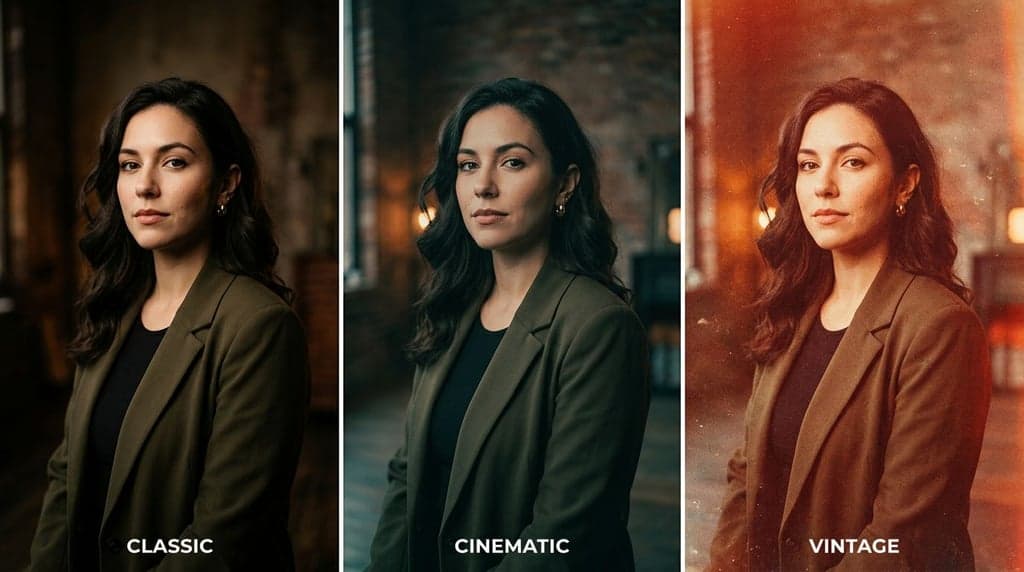
Prompt 19 — Vintage Nostalgia:
A couple sitting on the hood of a vintage car at a drive-in movie theater at dusk. Rendered as if shot on expired Kodachrome 64 slide film from the 1970s — heavy red-orange shift, lifted blacks, faded highlights, pronounced film grain. The drive-in screen glows softly in the background. Warm, wistful atmosphere.
Prompt 20 — Modern Cinematic:
A lone figure walking down a rain-soaked neon-lit street in Tokyo at night. Cinematic color grading with muted teal shadows and warm orange highlights. Anamorphic lens flares from the neon signs. Reflections on the wet asphalt. Wide 21:9 aspect ratio. Blade Runner-inspired atmosphere.
Bonus: Multi-Image Composition Prompts
Need to show multiple concepts in a single frame? Here are prompts designed to simulate collage-style layouts within one generation.
Prompt 21 — Product Color Variants (4-Panel Grid):
A perfectly symmetrical 2x2 grid of four identical minimalist ceramic coffee mugs photographed from the same angle on a clean white background. Top-left mug is dusty rose pink. Top-right mug is sage green. Bottom-left mug is matte black. Bottom-right mug is warm terracotta orange. Each mug is centered in its quadrant with consistent soft studio lighting. Clean product photography, thin light gray dividing lines between each quadrant.
Prompt 22 — Before/After Split:
A single image split perfectly down the middle. Left side: a dull, overcast photograph of a rustic farmhouse kitchen. Right side: the exact same kitchen transformed with vibrant, warm golden hour lighting, fresh flowers on the counter, and steam rising from a pot on the stove. A thin white vertical line divides the two halves. The word "BEFORE" in small white text at the top-left, and "AFTER" at the top-right.
Prompt 23 — Seasonal Four-Panel:
A single image divided into four equal vertical panels showing the exact same park bench and oak tree across four seasons. Panel 1: Spring — cherry blossoms falling, fresh green grass, soft morning light. Panel 2: Summer — full green canopy, bright sunshine, a bicycle leaning on the bench. Panel 3: Autumn — golden and red leaves scattered everywhere, warm late afternoon light. Panel 4: Winter — bare branches, light snow on the bench, cold blue-grey light. Consistent composition across all four panels.
Prompt 24 — Step-by-Step Process (3 Panels):
A triptych showing three stages of making pour-over coffee, arranged left to right in three equal panels with thin white dividers. Panel 1: Hands grinding whole coffee beans in a wooden hand grinder, warm overhead lighting. Panel 2: Hot water being poured from a gooseneck kettle onto coffee grounds in a glass Chemex, steam rising. Panel 3: A finished cup of golden-brown coffee next to the Chemex on a wooden table, morning sunlight streaming in. Consistent warm, cozy aesthetic across all three panels.
Quick Reference: The FotoGenie Prompting Checklist
Before you hit "generate," run through this mental checklist:
- Start with a strong verb — Generate, Create, Photograph, Render, Transform
- Name your subject specifically — not "a person" but "a woman in her 30s wearing a tailored navy blazer"
- Set the scene — lighting, location, time of day, weather
- Direct the camera — angle, lens, focal length, depth of field
- Define the style — film stock, color grade, artistic reference
- Use positive framing — say "empty street" not "street with no people"
- Put all text in quotes — and specify the font
- Specify aspect ratio — match your output channel (9:16 for Stories, 16:9 for YouTube thumbnails, 1:1 for Instagram feed)
How FotoGenie.ai Makes This Even Easier
Writing a perfect prompt is powerful — but what if your brand visuals could be generated automatically from your brand identity?
That's exactly what FotoGenie.ai's Brand Builder does. Upload your logo, pick your brand colors and style, and our AI generates on-brand product shots, social media content, and marketing visuals — no prompt engineering PhD required.
We take the frameworks above and bake them into intelligent templates that understand your brand. So instead of writing a 50-word prompt every time, you just click and create.
Try FotoGenie.ai's Brand Builder →